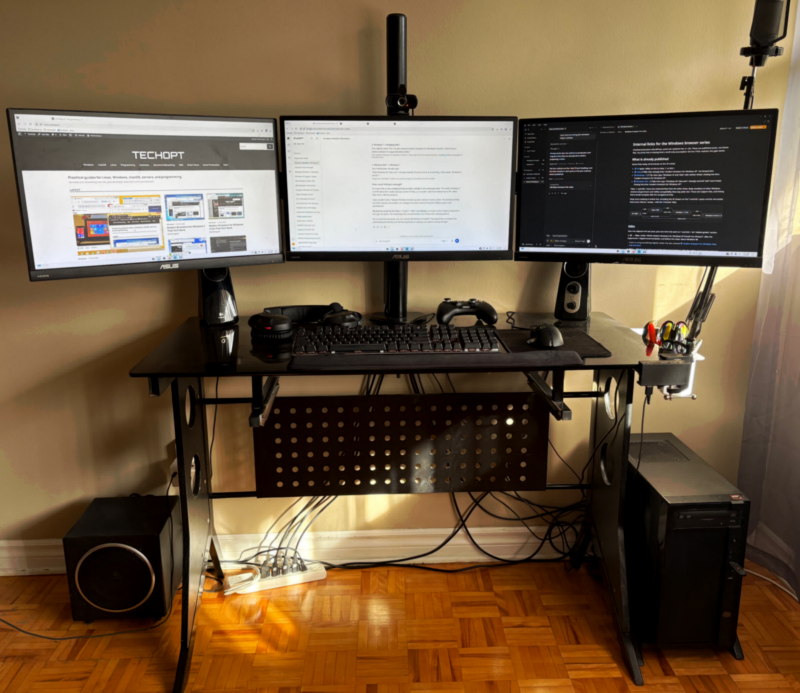
My 2027 coding PC build is the desktop I use for nearly all my day-to-day work. Between Cursor, AI coding agents, Next.js development servers, local WordPress containers, and plenty of browser tabs, I tend to have a lot happening at once. I wanted a machine that could keep up with that workflow without making me close applications or slow down whenever I switch between projects.
For me, the priorities were a powerful processor, plenty of memory, and fast storage. I also run three monitors, so having a capable graphics card matters, even if gaming isn’t the reason I built this PC. At the same time, I didn’t see a reason to replace parts from my previous desktop that were still doing their jobs. Here’s what I’m running, why I chose these components, and what I’d recommend if you’re putting together a coding workstation for 2027.
TL;DR: My coding desktop runs a Ryzen 9 9950X, 64GB of G.SKILL DDR5 RAM, an ASUS Dual RX 9060 XT, and a Samsung 9100 PRO SSD on openSUSE Tumbleweed. I reused my Cooler Master N200 case and Corsair RM750x 750W modular power supply. For development, I value CPU headroom and RAM more than an expensive GPU.
This article contains affiliate links. As an Amazon Associate I earn commissions from qualifying purchases at no additional cost to you.
My 2027 Coding PC Build: The Parts
For my 2026 upgrade, I sourced the core parts from Canada Computers, Best Buy, Newegg, and Amazon. I’ve noted the retailer beside each part where I know it. My monitors came from Staples several years ago, while I reused the case and power supply from my previous build. The Amazon links are there for readers looking for the parts now, regardless of where I originally bought them.
Full parts list and Amazon links
| Component | What I’m actually using (original retailer, if known) | Amazon |
|---|---|---|
| CPU | AMD Ryzen 9 9950X, 16 cores / 32 threads (Canada Computers) | Amazon |
| Motherboard | ASUS TUF GAMING B850M-E WIFI, micro-ATX (Canada Computers) | Amazon (model search) |
| RAM | G.SKILL Ripjaws S5 64GB (2 x 32GB), DDR5-6000 CL36, F5-6000J3636F32GX2-RS5K (Newegg) | Amazon |
| GPU | ASUS Dual Radeon RX 9060 XT, 16GB, DUAL-RX9060XT-16G (Canada Computers) | Amazon (model search) |
| OS SSD | Samsung 9100 PRO with Heatsink, 1TB, MZ-VAP1T0CW (Best Buy) | Amazon |
| Files drive (reused) | Seagate ST2000DM001, 2TB, 7200 RPM (Staples) | Amazon (model search) |
| Case (reused) | Cooler Master N200 micro-ATX mini tower (Canada Computers) | Amazon (model search) |
| PSU (reused) | Corsair RM750x, 750W, fully modular (Canada Computers) | Amazon (model search) |
| CPU cooler | Thermalright Assassin X 120 SE (AX120 SE), 4 heat pipes, 120mm fan (Amazon) | Amazon (model search) |
| Thermal paste | ARCTIC MX-4 thermal paste, 4g (Amazon) | Amazon (model search) |
| Displays (reused) | Three ASUS VC239, 23-inch, 1080p, 60Hz (Staples) | Amazon (similar ASUS monitors) |
Where a direct product listing isn’t available, I’ve linked an Amazon search for the named model instead. The older ASUS VC239 monitors are here for context rather than as a recommendation to seek out the same displays today.
I use the motherboard’s wired 2.5Gb Ethernet, not its Wi-Fi 6E. This workstation is separate from my M4 MacBook Pro and music PC, as noted on my About page.
Why I Chose a Ryzen 9 9950X for Coding
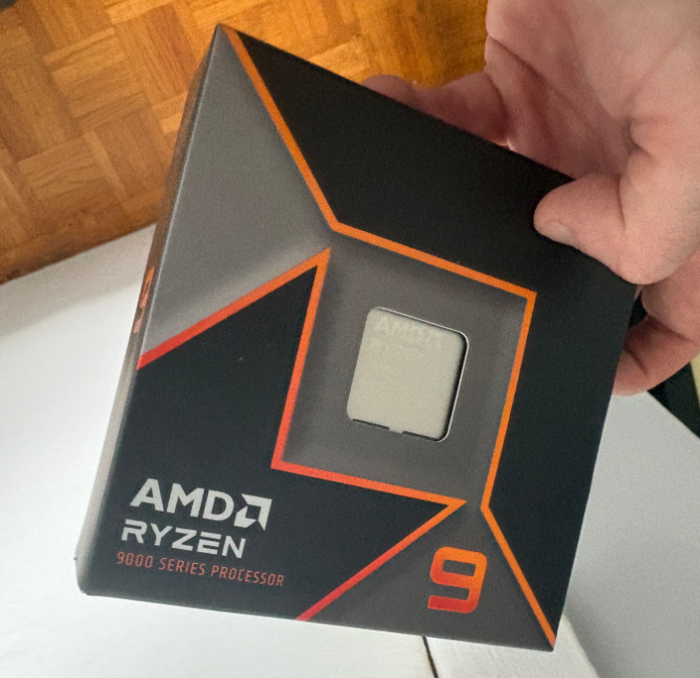
The Ryzen 9 9950X has 16 Zen 5 cores and 32 threads. Although that’s more than most web developers need, it gives my editors, servers, and agents room to run simultaneously. Not every build or hot reload uses all 16 cores, however.
I also enjoy playing around with different operating systems in virtual machines. For example, I’ll sometimes have several VMs running at once to try out different Linux distributions or configurations. Having 16 cores, 32 threads and plenty of RAM makes that much easier without having to shut down the rest of my development environment.
For cooling, I went with the Thermalright Assassin X 120 SE (AX120 SE), an affordable single-tower air cooler with four heat pipes and a 120mm fan that I bought on Amazon. It’s part of the workstation I use every day for development. In other words, my build isn’t about spending the maximum on every component. If you are selecting a cooler for a new build, check AM5 compatibility and your case clearance.
Would I buy it for 2027? For heavy parallel development, yes. For simpler websites, a Ryzen 5 or Ryzen 7 could be better value.
Why I Use 64GB RAM in My 2027 Coding PC Build
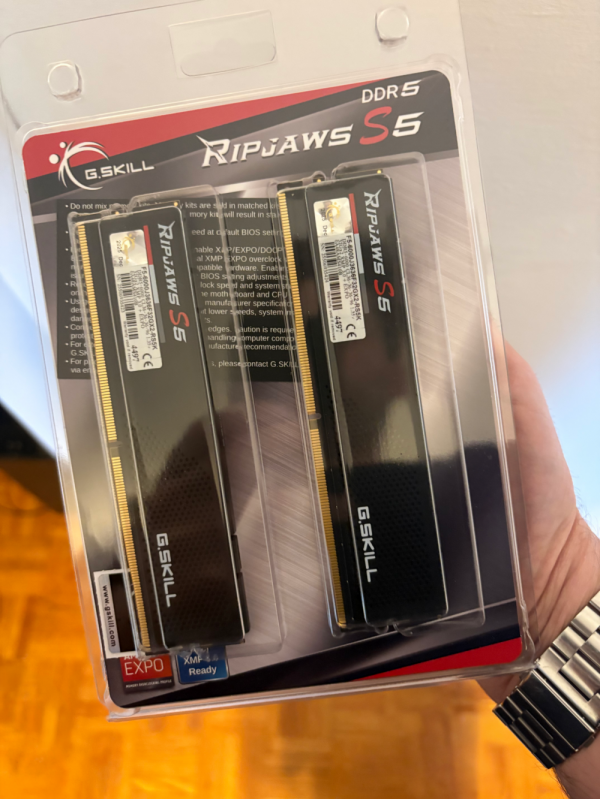
My G.SKILL Ripjaws S5 64GB kit contains two 32GB sticks rated for DDR5-6000 CL36 (model F5-6000J3636F32GX2-RS5K). G.SKILL confirms the specifications. Linux reported 60.46 GiB usable, with closer to 48GB of RAM in use one afternoon. DDR5-6000 is the rated specification of the kit I purchased.
What was running when I reached 48GB of RAM
Here’s a snapshot of what was running:
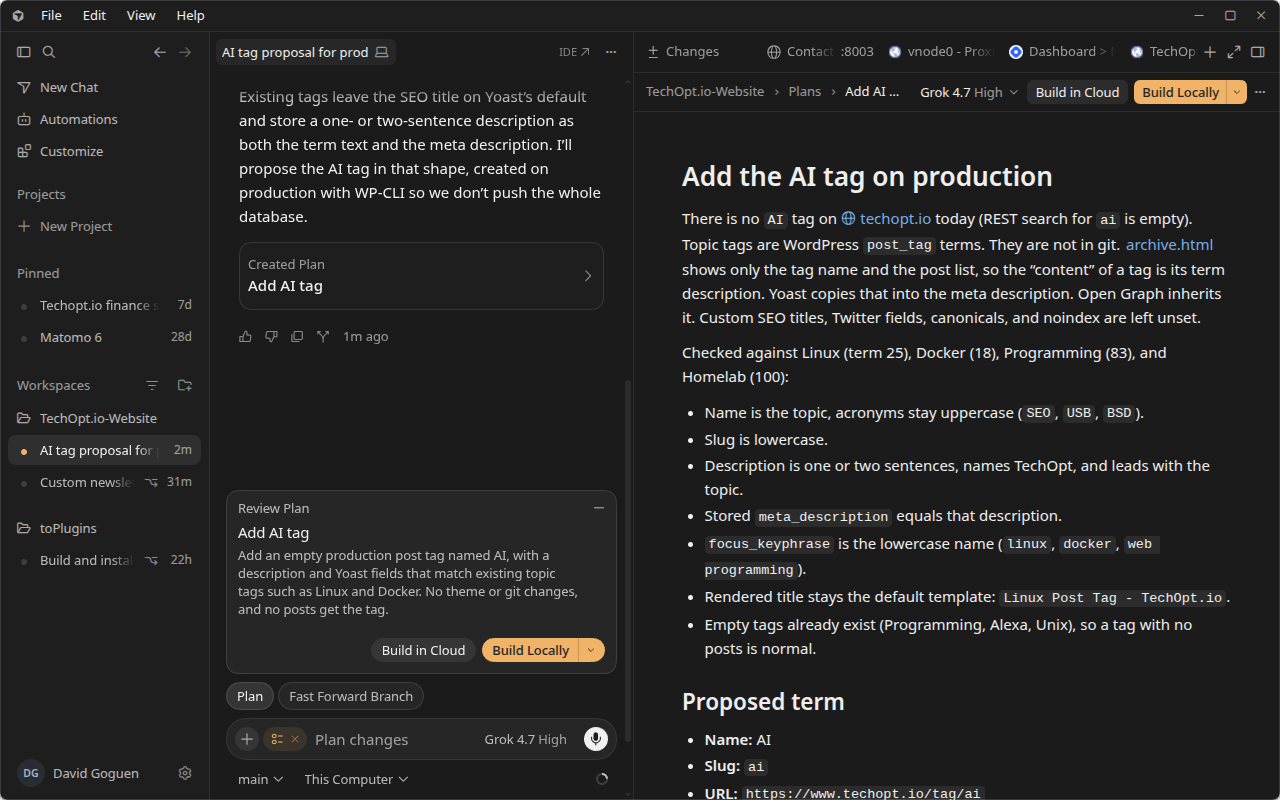
- Cursor: about 19 GiB reported across 75 editor processes, plus approximately 10 GiB across 81 separate agent-worker processes.
- Next.js: several Next.js development servers were running that afternoon, including one that accounted for approximately 5.5 GiB. npm processes were also present. I frequently use multiple worktrees and development servers on different ports when working on features in parallel.
- WordPress: five local WordPress and MariaDB container pairs were running for development work.
- Desktop: Firefox, KDE Plasma, and the usual background applications were open across all three screens.
Not everything in that snapshot was part of what I was actively working on. In fact, some applications and servers had been left open from earlier tasks, and a few weren’t relevant to my current work at all. I like to keep these environments on separate KDE Plasma virtual desktops rather than closing everything down. That way, I can jump back to a project and pick up right where I left off without rebuilding the workspace each time. That convenience has become part of my workflow. As a result, my RAM usage can get high even when I’m only focused on a few things at once. The process figures aren’t additive measures of distinct physical RAM.
I’m particularly glad I bought my 64GB kit from Newegg in February 2026, given how expensive RAM has become. Right now, Tom’s Hardware’s RAM price tracker reported US prices for 32GB DDR5 kits starting at around $350, compared with substantially lower prices previously. Prices change quickly, but high-capacity RAM is a much bigger budget decision now.
How much RAM do developers really need in a 2027 coding PC build?
Still, that doesn’t mean everyone needs 64GB. 16GB can still be enough for someone on a budget doing lighter development, with an editor, a few browser tabs, and perhaps one local server. 32GB is the sweet spot for most developers who want some headroom without going overboard.
I’d reserve 64GB for heavier setups like mine, with multiple Cursor agents, worktrees, development servers, containers, or several virtual machines running together. Verify the motherboard’s memory QVL and the kit’s profile support before ordering.
The ASUS B850 Motherboard and Samsung 9100 PRO SSD
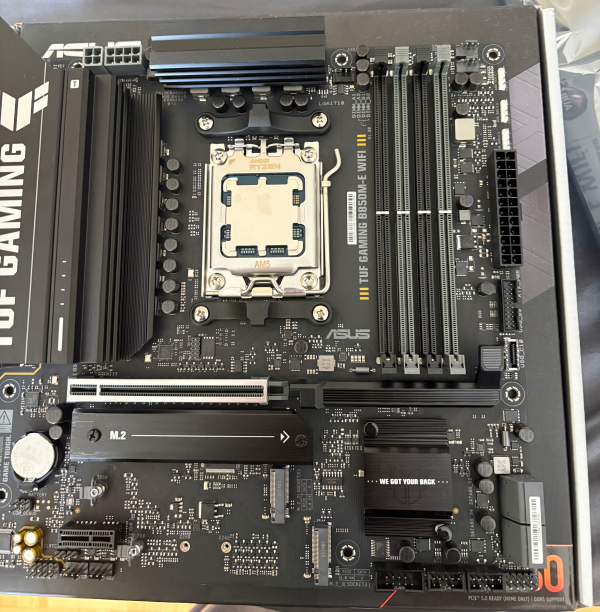
My ASUS TUF GAMING B850M-E WIFI provides AM5, DDR5, M.2 slots, and wired 2.5Gb Ethernet. Those connections matter more to me than gaming branding.
My Samsung 9100 PRO with Heatsink, 1TB holds openSUSE, applications, and project checkouts. It’s a PCIe 5.0 NVMe drive; see Samsung’s specifications. As a result, my development environment and active projects stay on fast local storage.
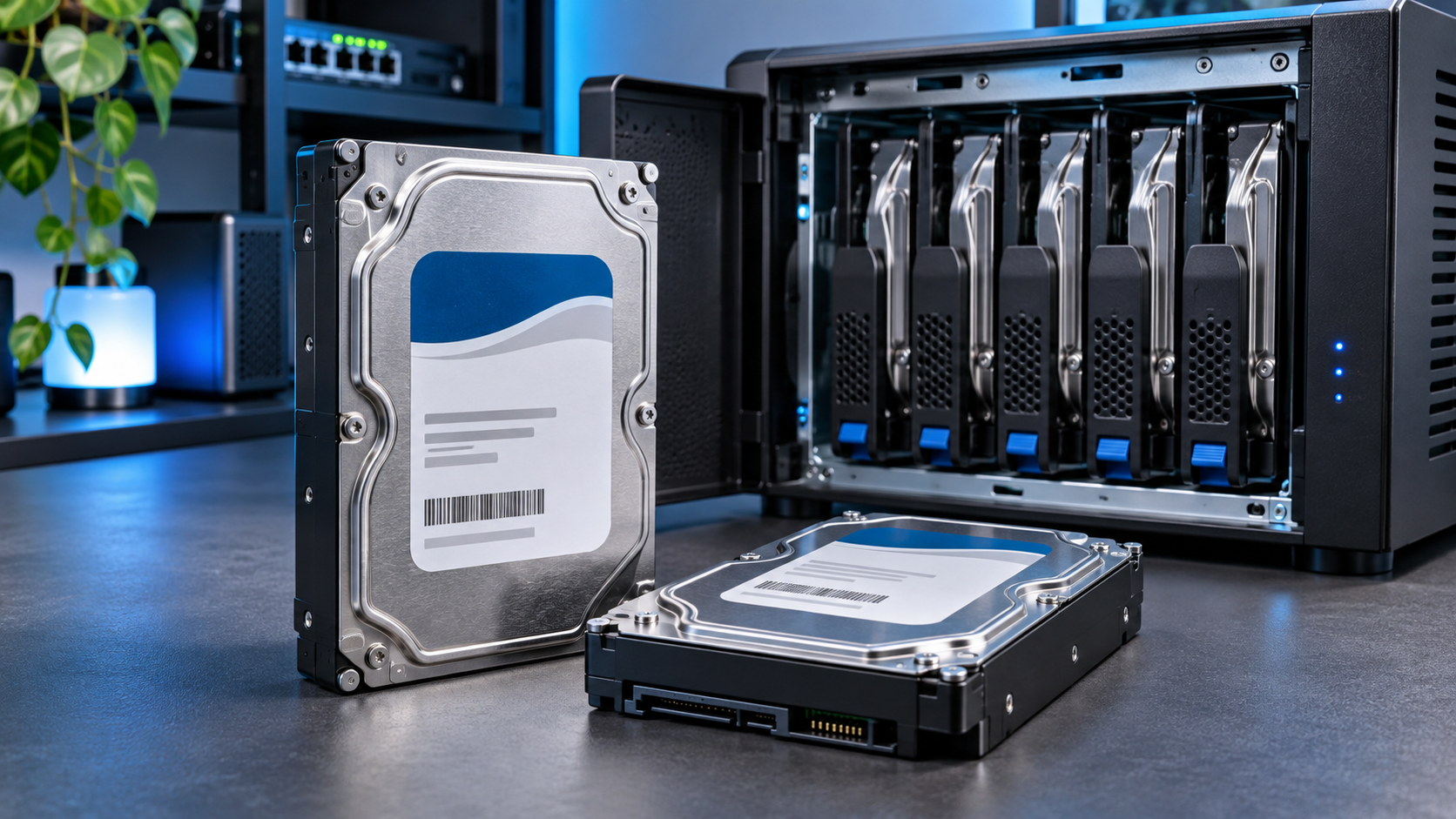
What I care about is having my operating system and working files on an NVMe SSD, while keeping bulk files that I rarely access on a separate 2TB Seagate hard drive. The hard drive is an older ST2000DM001 that I reused, not a model I’d specifically seek out for a brand-new 2027 build. You can probably find a comparable SATA SSD that will be much faster for around the same price these days.
If I were starting over, I’d look closely at a 2TB NVMe SSD (Amazon) rather than automatically buying the same 1TB capacity. Dependencies and container images add up, so I’d also check heatsink clearance before ordering.
GPU and Displays in My 2027 Coding PC Build
My GPU is specifically the ASUS Dual Radeon RX 9060 XT 16GB (DUAL-RX9060XT-16G). In this machine, its main job is driving three monitors, not gaming, training AI models or running local LLMs. I use AMD’s Linux graphics stack, including the amdgpu driver and Mesa.
All three screens are ASUS VC239 monitors that I bought from Staples several years ago: 23 inches, 1920 x 1080, and 60Hz. Arranged side by side, that’s a combined 5760 x 1080 desktop. Two screens connect over DisplayPort and one over HDMI, all through the discrete GPU.
If I were replacing them today, I’d probably choose 1440p monitors instead. The extra resolution would give me more screen real estate for code, terminals, and browser windows, while keeping the cost of a three-monitor setup reasonable. I’d look at similar newer ASUS monitors on Amazon rather than trying to find the exact VC239.
The displays let me keep code visible beside browsers, terminals, and local apps. Even so, I wouldn’t necessarily buy these older 60Hz monitors today, and coding alone doesn’t justify a 16GB discrete GPU.
Reusing My Cooler Master N200 and Corsair RM750x
I kept my old Cooler Master N200 micro-ATX case and Corsair RM750x 750W fully modular power supply rather than replacing perfectly usable parts. Consequently, the upgrade was simpler, and I avoided spending money on hardware I already had.
The N200 fits my micro-ATX motherboard. Cooler Master lists 160mm maximum cooler height without a side fan, 355mm GPU clearance, and 180mm ATX PSU length. Check clearances when choosing replacements.
I bought the Thermalright Assassin X 120 SE from Amazon for this upgrade, along with ARCTIC MX-4 thermal paste. The RM750x supplies 750W of power in a fully modular design. I reused it from my previous PC, so I didn’t need to buy another PSU for the upgrade. For a new build, I’d still pick a quality power supply with enough headroom and the correct connectors for the chosen parts.
Accessories I Use with My Coding PC
The desktop is only part of my setup. I’ve picked up a mix of accessories over the years, and I don’t think everything on a coding desk needs to be an expensive, top-of-the-line product. Here are the ones I’m using, with Amazon links to the same models or similar options.
| Accessory | What I’m using (original retailer, if known) | Amazon |
|---|---|---|
| Monitor arm | ECHOGEAR Triple Monitor Desk Mount Stand for three screens up to 27 inches (Amazon) | Amazon (similar mounts) |
| Desk | Basic single-level glass desk; I would choose a non-glass tabletop next time (XS Cargo, now defunct Canadian retailer) | Amazon (similar basic desks) |
| Keyboard | Off-brand Black Shark Sixgill K2 RGB wired mechanical keyboard with red switches (Amazon); the exact model no longer seems to be available | Amazon (similar red-switch keyboards) |
| Mouse | Logitech G502 wired mouse (Staples) | Amazon (similar models) |
| Keyboard wrist rest | A generic wrist rest (Amazon) | Amazon (similar options) |
| Mouse pad | A generic mouse pad (Amazon) | Amazon (similar options) |
| Headset | HyperX Cloud Stinger 2 Wireless gaming headset (Amazon) | Amazon (model search) |
| Microphone | FIFINE AmpliGame A6T USB microphone with boom arm, mainly for TechOpt videos (Amazon) | Amazon (model search) |
| Webcam | Generic 1080p webcam for video calls | Amazon (similar options) |
| Speakers | Logitech Z523 2.1 speaker system (Staples) | Amazon (newer Z623 option) |
| Controller | MSI Force GC30 V2 wireless gaming controller (Amazon) | Amazon (model search) |
My desk and triple-monitor mount
My three ASUS monitors are held by an ECHOGEAR Triple Monitor Desk Mount Stand, which I bought on Amazon years ago. It supports three screens up to 27 inches, so it works with my 23-inch displays. I like having the monitors together without relying on three separate stands.
The desk itself is just a basic, single-level desk with a glass top. It does the job, but I probably wouldn’t choose glass again. In particular, fingerprints, marks, and dust show up easily, so it needs constant cleaning to look tidy. If I were buying another one, I’d keep the simple layout and go for a regular non-glass surface instead.
My budget mechanical keyboard and audio setup
The Black Shark Sixgill K2 keyboard has probably impressed me the most for the money. It’s an off-brand mechanical keyboard, and the exact model doesn’t seem to be available anymore, so I’ve linked to similar wired keyboards with red switches instead. I went with the red switches, and the keys feel excellent. The sturdy build quality feels on par with, or even better than, the much more expensive Corsair mechanical keyboards I used to buy. By comparison, the switches on my older Corsair mechanical keyboards would eventually start giving out. That makes this inexpensive keyboard’s feel and build quality even more impressive to me.
Meanwhile, I use the FIFINE A6T USB microphone on a boom arm mostly for recording TechOpt videos. For video calls, I also have a webcam and the HyperX Cloud Stinger 2 Wireless headset. The HyperX connects through a USB wireless adapter rather than Bluetooth.
For speakers, I’m still using the older Logitech Z523 set I bought at Staples; I’ve linked the Z623 as a newer alternative. The MSI Force GC30 V2 is there for the occasional game.
Running openSUSE Tumbleweed Every Day
This desktop runs openSUSE Tumbleweed Linux with KDE Plasma on Wayland.
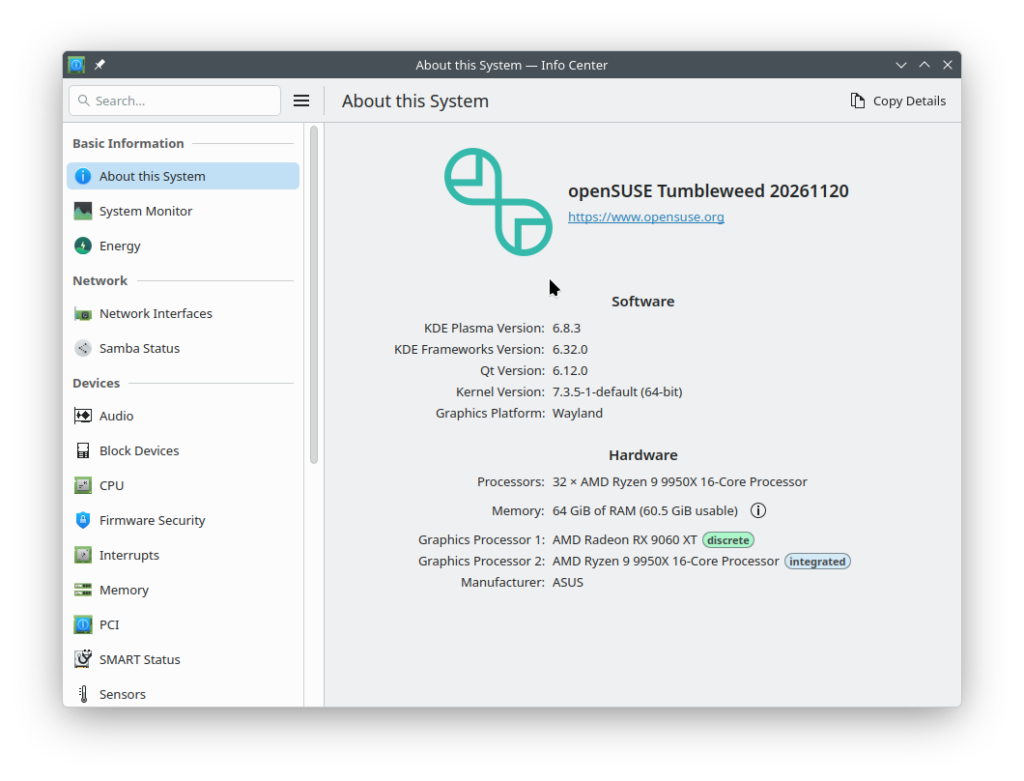
My typical day involves Cursor, Node.js, Firefox, and local containers for TechOpt. I’ve covered Next.js, Docker disk cleanup, and my agent-first development workflow elsewhere. This 2027 coding PC build is about properly supporting those environments.
Although Linux is my preference, the same CPU, RAM, and storage priorities apply to Windows (and macOS) development.
What I’d Recommend for a 2027 Coding PC Build
Ultimately, my build is more powerful than the minimum needed to write code. If I were helping someone choose parts today, I’d prioritize the workload rather than the biggest specification on each product page:
- CPU: Choose the Ryzen 9 9950X if you genuinely benefit from lots of concurrent work. Otherwise, consider a more affordable Ryzen 5 or Ryzen 7.
- RAM: 16GB is workable for budget and lighter development, 32GB is the more comfortable choice for most developers, and 64GB makes sense for power users running many agents, services, or containers. With November 2026 memory prices so high, buy for the workload rather than automatically maxing it out.
- Storage: Use an NVMe SSD for the OS and projects. I’d lean toward 2TB for a new build if the budget allows.
- GPU: Buy for your display and compute needs. You don’t need an expensive discrete GPU solely to run a code editor.
- Motherboard and networking: Focus on useful connections, storage expansion, and compatibility rather than gaming branding.
Also budget for a suitable cooler, power supply, and airflow. Reusing parts like my N200 case and Corsair RM750x can be a good way to put more of the budget toward the processor, memory, and storage.
Final Thoughts
I still like the balance of my 2027 coding PC build: plenty of CPU headroom, 64GB RAM, fast storage, and three monitors. I’ve been using this workstation for real development and I think it will serve me for many years to come. However, that doesn’t make every part the right purchase for everyone. Spend on the resources your work actually uses, and reuse sound hardware when it makes sense.
Leave a Reply