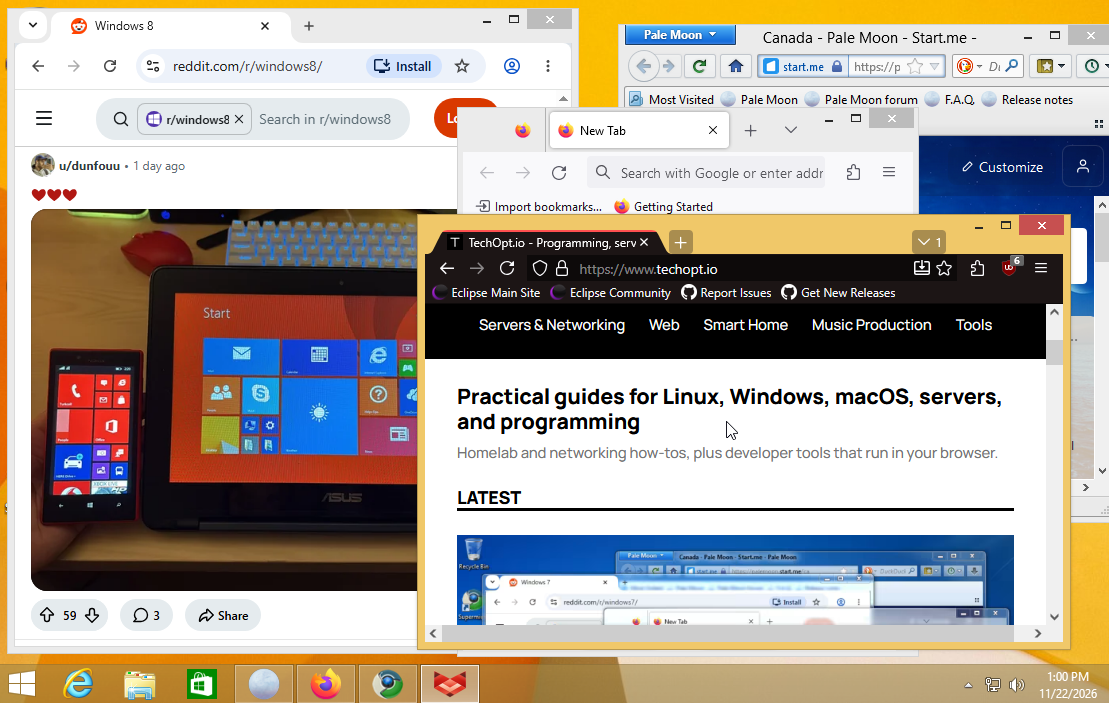
With Windows XP, Vista and Windows 7 already covered, it’s time to look at something a little newer: Windows 8 and 8.1. Fortunately, finding modern browsers for Windows 8 and 8.1 today is considerably easier than doing the same on XP or Vista.
Microsoft ended support for Windows 8.1 in January 2023, and major browsers like Chrome and Edge stopped supporting it around the same time. However, independent developers have continued bringing newer browser engines to older versions of Windows, while Mozilla still supports an older Firefox release.
TL;DR: r3dfox is my top recommendation for a modern Firefox-based experience, while Supermium is the best Chromium option. Both offer newer browser engines than Firefox ESR 115, which still receives official Mozilla security updates through March 2027. Pale Moon is another alternative. However, none makes Windows 8 or 8.1 itself secure.
Modern browsers for Windows 8 and 8.1: quick comparison
| Browser | Engine | Windows 8/8.1 support | Best for |
|---|---|---|---|
| r3dfox | Firefox/Gecko fork | Community-maintained newer Firefox builds | Best Firefox-based option |
| Supermium | Chromium/Blink fork | Community-maintained newer Chromium builds | Best Chromium-based option |
| Firefox ESR 115 | Gecko (Firefox 115) | Mozilla security updates through March 2027 | Officially maintained alternative |
| Pale Moon | Goanna | Maintained independent browser | Traditional interface and independent engine |
| Chrome / Edge | Chromium/Blink | Last supported versions were 109 | Not recommended for regular browsing |
These are the browsers for Windows 8 and 8.1 I’d consider today. A newer browser engine generally helps with modern website compatibility, but it’s important to remember that community projects depend on their maintainers to incorporate upstream security patches.
1. r3dfox: my pick for a modern Firefox experience
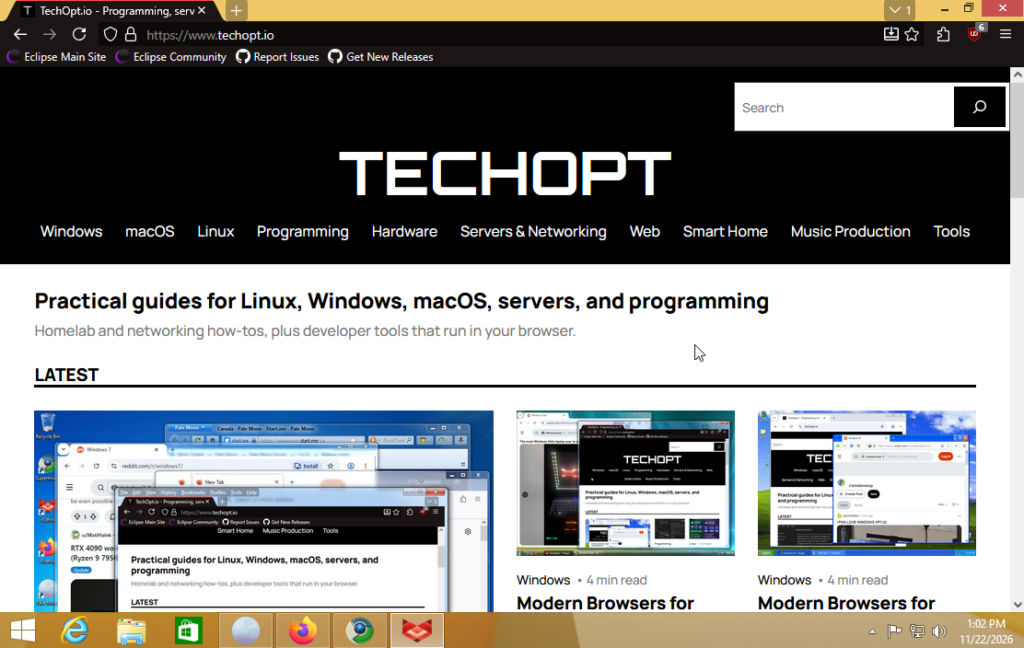
Download: r3dfox releases on GitHub.
r3dfox is a community-maintained Firefox fork specifically designed to run newer Firefox versions on older Windows operating systems, including Windows Vista, 7 and 8.
Unlike Firefox ESR 115, r3dfox continues incorporating newer Firefox code, providing a significantly more modern browser engine than the last officially supported Firefox feature release for Windows 8 and 8.1.
This matters because newer browser engines support modern JavaScript, CSS and web APIs that older browsers may lack. While Firefox ESR 115 still receives security updates, its underlying engine remains based on Firefox from 2023.
r3dfox also includes several useful additions, such as portable builds, interface customization and privacy-related tweaks.
I’m personally a Firefox fan, so r3dfox would be my first choice for browsing the modern web on Windows 8.1.
However, it’s important to remember that r3dfox isn’t an official Mozilla release. Its stability, compatibility and security updates depend on the project’s maintainers. I’d recommend checking the release notes and sticking to stable builds rather than experimental versions.
2. Supermium: my pick for Chromium on Windows 8 and 8.1
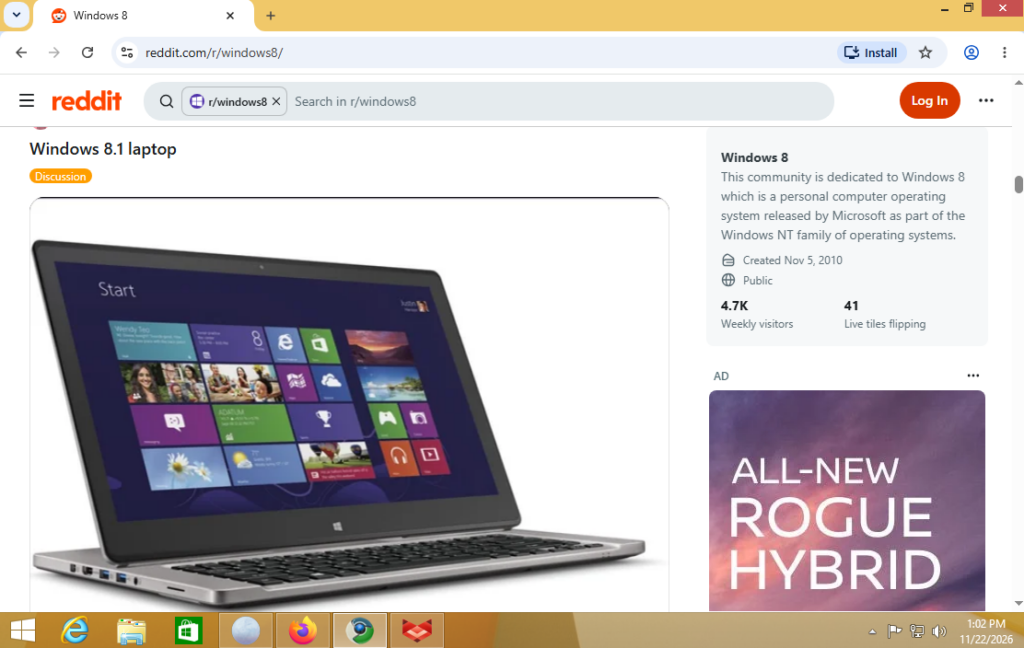
Download: Supermium releases on GitHub or the project website.
Supermium is a Chromium fork designed to bring newer Chromium releases to older versions of Windows, including XP, Vista, 7, 8 and 8.1.
Unlike Google Chrome, which ended support for Windows 8.1 with version 109, Supermium continues incorporating newer Chromium features and security fixes.
This provides a considerably newer browser engine than the final officially supported Chrome version, making Supermium particularly appealing for websites that rely on recent Chromium features.
It also supports the familiar Chrome interface and many Chromium extensions.
Of the browsers for Windows 8 and 8.1, Supermium would be my recommendation if you prefer Chrome or Microsoft Edge. It’s also a good second browser to keep installed alongside r3dfox.
However, just like r3dfox, Supermium is maintained independently from the original browser vendor. Security patches may arrive at different times, and occasional compatibility issues are possible.
3. Firefox ESR 115: officially maintained, but an older engine
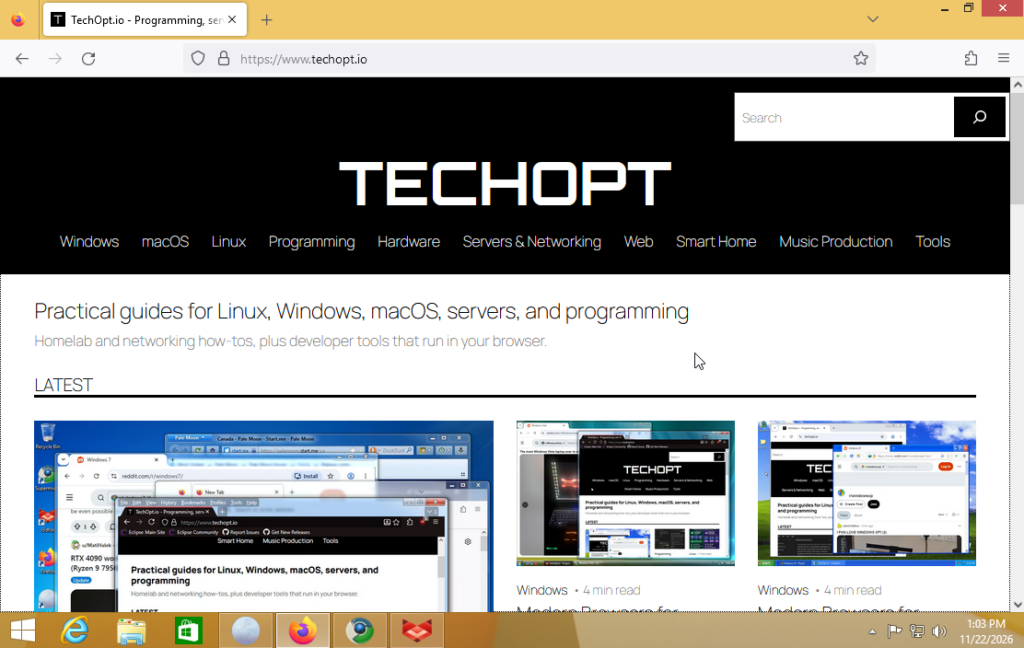
Download: Firefox ESR 115 on Mozilla’s FTP server or see Mozilla’s Windows 8 and 8.1 support notice.
Firefox 115 is the final official Firefox version compatible with Windows 7, 8 and 8.1.
Rather than ending support immediately, Mozilla moved users of these operating systems to the Extended Support Release (ESR) channel.
Mozilla continues providing security updates for Firefox ESR 115, with support currently planned through March 2027. Another extension is possible, but not guaranteed.
That’s reassuring if you prefer using an official Mozilla release instead of a community-maintained fork.
However, Firefox ESR 115 has an important limitation: its browser engine is from 2023.
While Mozilla continues addressing security vulnerabilities, ESR 115 doesn’t receive the newer browser features included in current Firefox releases. Consequently, some modern websites may eventually stop working correctly.
Firefox ESR 115 remains a reasonable alternative for simpler browsing, particularly if official Mozilla maintenance is your priority.
Still, if your goal is to run the most capable modern browsers for Windows 8 and 8.1, I’d recommend r3dfox or Supermium first.
4. Pale Moon: a different approach
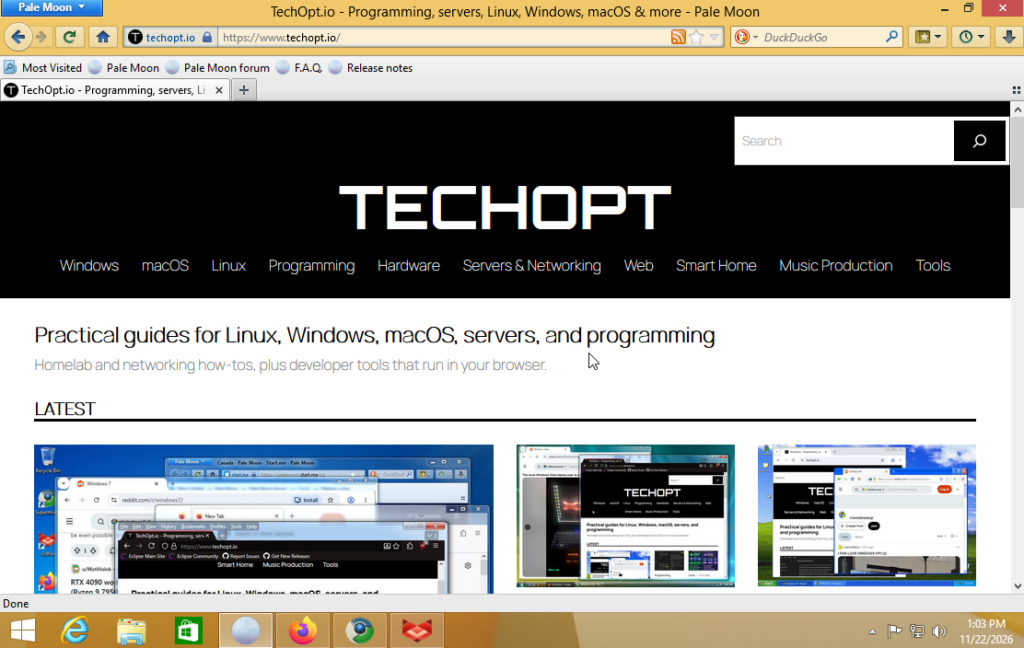
Download: Pale Moon.
Pale Moon is another independently maintained web browser that supports Windows 8 and 8.1.
Unlike r3dfox and Supermium, Pale Moon uses its own Goanna rendering engine, which originated as a fork of Mozilla’s older Gecko engine.
The browser has a more traditional desktop interface and focuses on providing a customizable browsing experience.
However, Pale Moon doesn’t support every modern web technology available in Firefox or Chromium. Consequently, certain websites, streaming services and web applications may not work correctly.
There are also hardware requirements to consider. Current official 64-bit builds require a processor supporting AVX, while 32-bit builds require SSE2.
Pale Moon is worth considering if you prefer its interface, but it wouldn’t be my first recommendation for maximum website compatibility.
What happened to Chrome, Edge and Internet Explorer?
Google ended support for Windows 8 and 8.1 with Chrome 109, released in January 2023.
Microsoft followed a similar schedule, with Edge 109 being the final version compatible with these operating systems.
Neither browser receives current security updates on Windows 8 or 8.1, even if its old installer still works.
Internet Explorer is even less suitable. Windows 8 originally shipped with Internet Explorer 10, while Windows 8.1 included Internet Explorer 11.
Both versions use an outdated rendering engine that struggles with modern websites. I wouldn’t recommend using either browser for regular internet access.
You can read more in Google’s Chrome support announcement and Microsoft’s Edge support notice.
Which browsers for Windows 8 and 8.1 should you choose?
For most people, I’d recommend r3dfox for a Firefox-based experience or Supermium for Chromium.
Both provide newer browser engines that are considerably better equipped to handle modern websites than the final officially supported Chrome, Edge or Firefox feature releases.
If you prefer official Mozilla maintenance, Firefox ESR 115 remains an option while its extended support continues. However, its older engine is likely to become increasingly limiting.
Pale Moon is another alternative, especially if you prefer a more traditional browser interface.
Personally, I’d keep both r3dfox and Supermium installed. That way, if a particular website doesn’t work correctly in one engine, you can try the other.
Common Windows 8 and 8.1 browser problems
The browser refuses to install. Make sure you’ve downloaded the correct 32-bit or 64-bit version. Also check your processor’s instruction-set support, particularly for Pale Moon.
A website says your browser is outdated. Check whether a newer browser release is available. If you’re using Firefox ESR 115, the website may require features that its older engine doesn’t support. Try r3dfox or Supermium instead.
HTTPS websites display certificate errors. Verify that your system date and time are correct. Outdated root certificates can also cause problems on unsupported Windows versions. Avoid bypassing certificate warnings, especially on websites requiring passwords or payment information.
Video calls or streaming services don’t work. Certain services require newer codecs, DRM support or browser APIs. Try switching between r3dfox and Supermium, although neither guarantees compatibility with every service.
Do these browsers work on Windows 8 and Windows 8.1?
Yes. Most of the browsers discussed here support both operating systems, although you should always check the requirements of the particular build you’re downloading.
The main difference between Windows 8 and 8.1 is their operating-system support history.
Windows 8 reached end of support on January 12, 2016, while Windows 8.1 continued receiving Microsoft updates until January 10, 2023.
One important exception is Windows RT.
Windows RT and RT 8.1 ran on ARM-based devices, including the original Microsoft Surface RT. These devices cannot run normal x86 or x64 Windows desktop browser installers, so the recommendations above don’t apply to them.
Is browsing on Windows 8 or 8.1 safe?
Not in the same way as browsing on a supported operating system.
Even with updated browsers for Windows 8 and 8.1, the underlying operating system no longer receives regular security updates from Microsoft.
A browser update can address vulnerabilities within the browser, but it cannot fix security issues in Windows itself, its drivers or other applications.
For retro computers, virtual machines or occasional low-risk browsing, these browsers can still be useful. However, I wouldn’t recommend using an unsupported Windows installation for online banking, work accounts or other sensitive activities.
If you’re planning to use the computer regularly, upgrading to a supported operating system is the better long-term solution.
For older hardware that struggles with newer versions of Windows, you might also consider Linux. I’ve covered several Linux distros for beginners, and you can use Ventoy to boot operating system ISOs from USB when you’re ready to experiment.
Final recommendation
Windows 8 and 8.1 can still run some surprisingly modern web browsers, even though official support ended years ago.
My top recommendation is r3dfox, followed closely by Supermium. Both offer relatively modern browser engines and a much better chance of loading current websites than outdated Chrome or Edge releases.
Firefox ESR 115 remains a useful alternative while Mozilla continues maintaining it, and Pale Moon is worth considering if its more traditional approach appeals to you.
Ultimately, these browsers can help keep an older computer usable, but they won’t restore Windows security updates.
And if you’re running an even older operating system, I’ve also covered modern browsers for Windows XP.


Leave a Reply