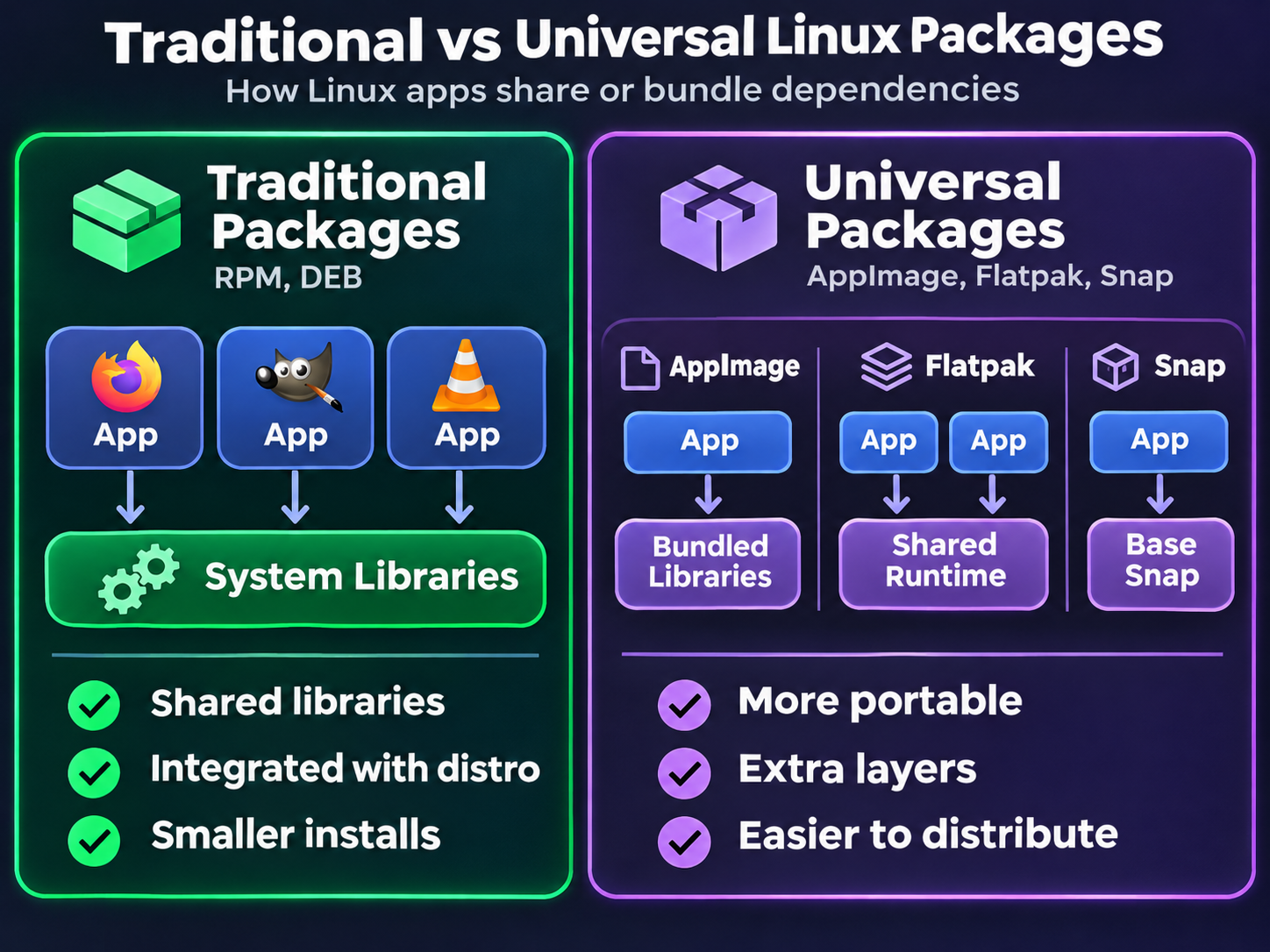
Heading into 2027, Linux software distribution is in a much better place than it was when I first started using Linux. Installing desktop applications is easier, developers have more ways to reach users, and we’re no longer quite so dependent on whether a particular package exists in our distribution’s repositories.
But I can’t help feeling that Linux software distribution has taken a rather unfortunate route to get here. Instead of making ordinary Linux application binaries consistently portable, we’ve largely worked around the problem by shipping applications with their own dependencies, runtimes, and sometimes entire supporting environments.
It works, and that’s worth celebrating. I just wish it didn’t take so much extra machinery to make it work.
Why Linux Software Distribution Has Been So Difficult
On Windows, a developer can generally build an application, publish an installer, and expect it to work across a reasonable range of supported Windows versions. macOS has its own compatibility headaches, but distributing a self-contained .app bundle is similarly familiar.
Linux has traditionally been different. Ubuntu, Fedora, Debian, openSUSE, and countless other distributions use different package formats, release schedules, library versions, and dependency conventions.
When I started using Linux, getting software outside the official repositories could mean hunting down a suitable .deb or .rpm, adding a third-party repository, chasing missing shared libraries, or compiling from source. That’s hardly appealing to everyday users or commercial developers.
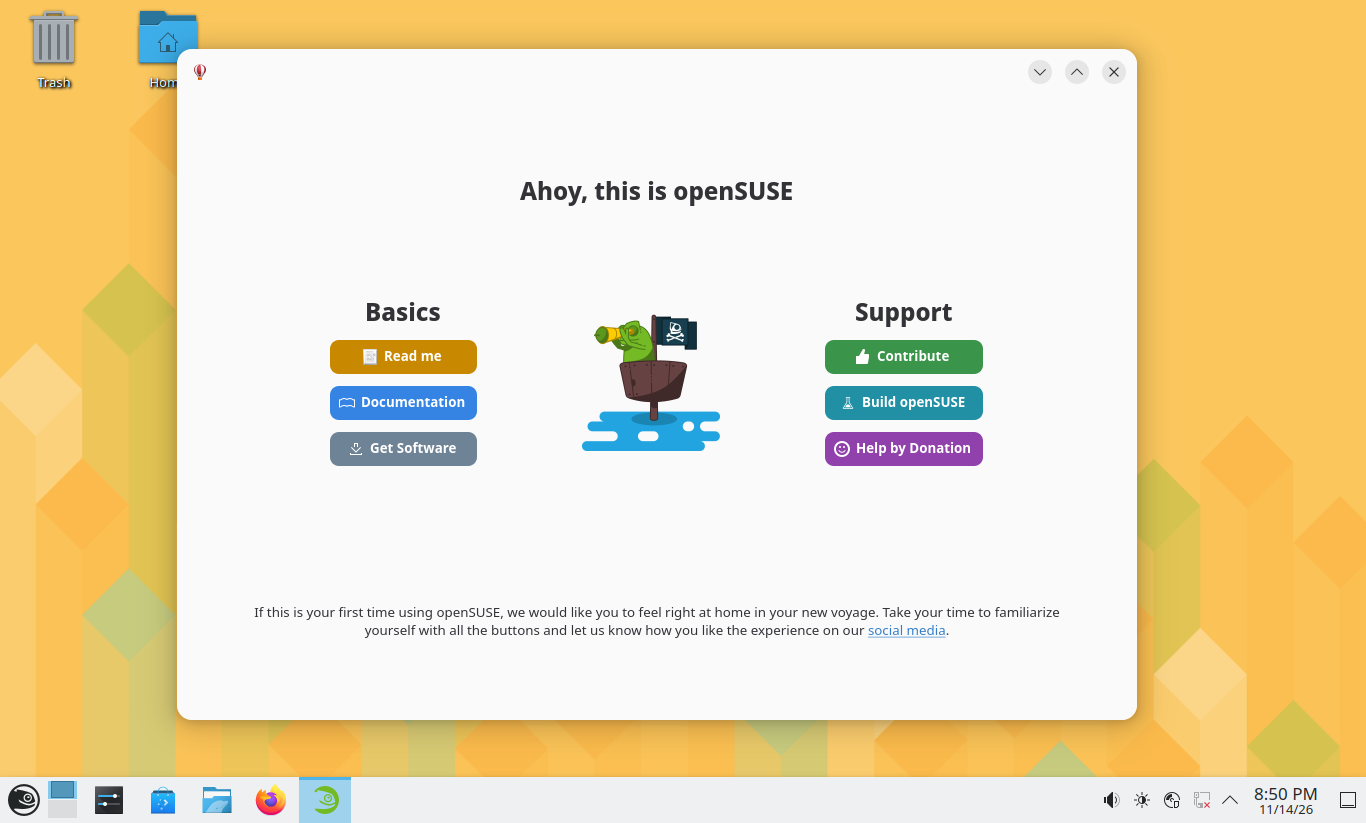
To be clear, installing packages from a distribution’s official repositories is still the approach I prefer whenever possible. On openSUSE, I primarily use zypper to install software from its RPM repositories, keeping dependencies and updates managed alongside the rest of the system. Traditional repository packages remain a recommended starting point on many distributions, although Ubuntu takes a more mixed approach: its App Center shows Snap packages by default while also offering .deb packages from Ubuntu’s repositories. Universal packaging hasn’t replaced native package management, and I don’t think it needs to.
Native package management still has real advantages. Shared system libraries avoid needless duplication, updates can happen centrally, and distribution maintainers help test how everything fits together. Yet that same integration makes it harder for an independent developer to publish one download that works everywhere.
The kernel takes userspace compatibility seriously, but agreeing on dependable libraries and desktop interfaces across distributions is another matter. That gap continues to complicate Linux software distribution, even when individual distros do a good job managing their own packages.
Linus Torvalds on Linux Application Packaging in 2014
This frustration isn’t new, and it isn’t just coming from users.
During a Q&A at DebConf 2014, Linus Torvalds, the creator of Linux, criticized the state of application packaging on Linux. He explained how developers could distribute working binaries of his Subsurface diving application for Windows and macOS, while doing the equivalent across Linux distributions was much more difficult.
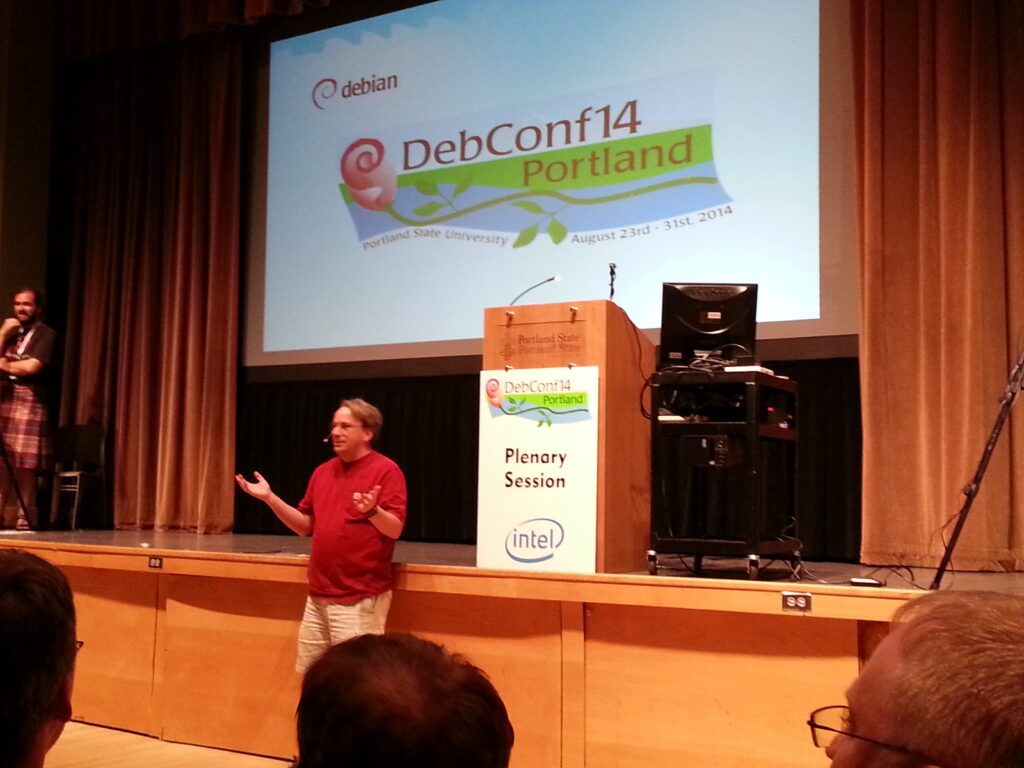
His point was straightforward: developers want to ship software for Linux, not separately target every distribution and library combination. The familiar .deb versus .rpm debate doesn’t solve that underlying compatibility problem.
More than a decade later, his criticism still holds up. Linux software distribution is easier than before, but we’ve improved delivery without necessarily solving the fragmentation underneath.
AppImage, Flatpak and Snap: Linux Software Distribution at a Cost
Today, we have three prominent ways around much of this problem: AppImage, Flatpak, and Snap. Each takes a different approach, and each is genuinely useful.
AppImage: One File, Lots of Dependencies
AppImage takes one of the simplest approaches to Linux software distribution: download a file, make it executable, and run it. There is no need to install a traditional distribution package.
I’ve covered the practical side in my guide to installing and running AppImage software.
The tradeoff is that an AppImage commonly carries the libraries and resources its publisher can’t safely assume exist on the target system. Different applications may therefore bundle their own copies of similar dependencies. An AppImage isn’t guaranteed to run everywhere: low-level compatibility still matters.
It’s wonderfully convenient, but that convenience doesn’t come free.
Flatpak: Sharing Runtimes, but Adding Another Layer
Flatpak improves on the duplication problem through shared runtimes. Several applications can use the same runtime rather than each carrying a complete copy. Its sandboxing and portals also provide useful isolation and controlled desktop integration.
However, you can end up with multiple runtime families or versions installed side by side. Applications may still bundle libraries that aren’t provided by their chosen runtime, and sandbox permissions can add friction for software that needs extensive access to the host system.
Flatpak’s efficient storage and updates limit the overhead, but Linux software distribution still needs another runtime layer to make many desktop applications portable.
Snap: Similar Goals, Different Compromises
Snap also uses packaged applications, base snaps, and mechanisms for sharing content between snaps. Not every Snap ships every dependency independently.
However, Snap has never been my favourite of the three, and I’m certainly not alone in that. Part of the controversy is that the Snap ecosystem isn’t fully open source. The snapd client and packaging tools are open source, but Canonical’s Snap Store backend remains proprietary. While you can install Snap packages outside the store, the standard distribution and update experience is tied closely to Canonical’s infrastructure.
For a platform built around openness and decentralization, that centralized control is a pretty significant compromise. It’s also one reason Snap has faced criticism from parts of the Linux community, including Linux Mint. Add Snap’s own runtime and management infrastructure to the mix, and it’s another set of conventions on a desktop already full of packaging choices.
I’ve touched on some of my frustrations with Snap in my Debian vs. Ubuntu comparison.
The bigger issue for me isn’t whether Flatpak, Snap, or AppImage wins. It’s that we’ve normalized building extra compatibility layers around a platform that was supposed to make software reuse and shared libraries a strength.
The Hidden Costs of Linux Software Distribution
Bundled dependencies aren’t automatically bad. In fact, shipping a known-good library version can prevent an application from breaking after an operating system upgrade. For software vendors, that predictability is enormously valuable.
But there are costs worth acknowledging:
- Storage: Multiple runtime versions and duplicated libraries can consume more disk space than a tightly integrated native installation.
- Maintenance: When a dependency is bundled privately, someone needs to rebuild or update the application when that library has a security vulnerability.
- Complexity: Users and developers now navigate several update systems, permission models, and package formats instead of one consistent approach.
Flatpak and Snap manage some of those costs well, and native repositories can have outdated dependencies too. Still, these feel like compromises rather than an ideal end state.
Wine Is Better, but Windows Applications Are Still a Problem
The other longstanding promise of desktop Linux has been running Windows software through Wine.
Wine was impressive in concept, but often an exercise in trial and error: broken installers, missing features, and regressions after updates.
Wine has improved, and plenty of Windows applications work well. But I still wouldn’t depend on it for an essential modern proprietary application.
Microsoft Office is an obvious example. LibreOffice and browser-based Microsoft 365 apps are useful alternatives, but they aren’t a complete replacement for the installed desktop suite in every workflow, particularly when advanced features, add-ins, or strict document compatibility matter.
In January 2026, CodeWeavers announced that it was ending its limited support for Office 2016 and Microsoft 365 in CrossOver, its commercial Wine-based product. Older releases may still work in particular configurations, but that’s not the same as being able to confidently install and use a current version of Office on Linux.
After all these years, that’s disappointing. For many people, one essential Windows-only application is enough to keep Windows installed.
Valve Shows What Focused Investment Can Accomplish
Gaming is where the story gets significantly more encouraging.
Valve’s Proton builds on Wine and combines it with projects such as DXVK and VKD3D-Proton to translate Windows graphics APIs into technologies Linux supports. Along with Steam and the Steam Deck, that investment has made running many Windows games on Linux remarkably straightforward.
This isn’t a claim that every game works. Multiplayer anti-cheat, launchers, DRM, and other game-specific dependencies can still create problems. Valve’s Proton documentation explicitly describes remaining limitations, including kernel-level anti-cheat.
Wine contributors and other open-source projects laid the groundwork, but Valve’s focused investment made a difference.
The contrast is striking: playing a demanding Windows game on Linux can now be easier than running a current version of Microsoft Excel.
Wine’s Stance on AI Contributions Doesn’t Help
There’s another recent development that I find frustrating.
In an April 2026 discussion on the Wine development mailing list, Wine founder Alexandre Julliard said the project couldn’t accept LLM-generated code because it needs clear authorship and LGPL-compatible licensing, while the legal status of generated output remains uncertain.
Those concerns deserve to be taken seriously. Wine has strict clean-room requirements, and nobody wants compatibility code to introduce copyright violations or become impossible to maintain.
Still, I think refusing generated code outright risks closing the door on tools that could help with a project as vast as Windows compatibility. There should be room to explore AI-assisted implementation, testing, and debugging while requiring human review, traceable authorship, and proper licensing. An unreviewed AI patch shouldn’t be merged simply because it compiles, either.
Importantly, this isn’t a universal anti-AI position across Linux. The Linux kernel’s guidance on tool-generated contributions discusses disclosure and developer responsibility rather than treating every use of generated content as automatically unacceptable.
To me, the goal should be to use new tools responsibly, not reject them by default. Wine’s licensing challenges are real, but so is the potential value of better development tooling.
What I’d Like Linux Software Distribution to Become
I don’t want distributions to abandon their independence. That variety is part of Linux’s appeal.
What I’d like is a world where an application developer can target a stable, well-defined Linux desktop runtime, publish a binary, and trust that it will work across supported distributions without effectively bringing a miniature operating system along with it.
Until then, I’ll happily use AppImages and Flatpaks when they’re the best way to get an application running. They have made Linux software distribution much more practical, and that’s a huge improvement over what we had before.
But heading into 2027, I think it’s fair to say that Linux has become much better at distributing software without becoming particularly elegant at it. We’ve solved a lot of the pain for end users by moving the complexity somewhere else.
That’s progress. I just hope it isn’t where we stop.



Leave a Reply