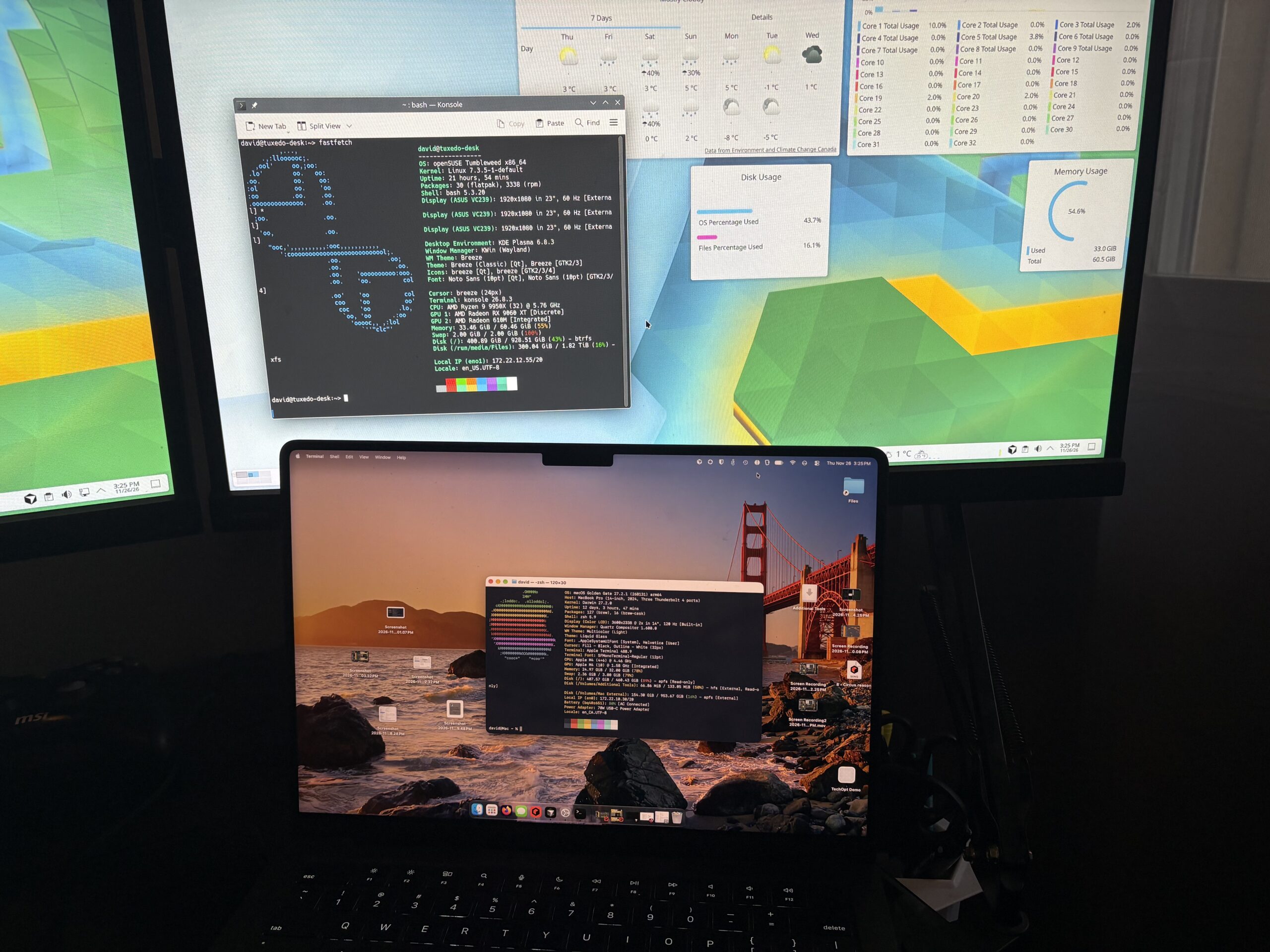
Anyone who has followed TechOpt for awhile probably knows that Linux is my favourite operating system. I run openSUSE on my desktop, and much of my homelab runs on Linux as well. Believe it or not, I also genuinely enjoy using macOS. There’s a lot to like about macOS for Linux users, especially if you’re also a software developer or into music production like me.
What I find interesting is that many of the reasons I like macOS are the same reasons I like Linux. Others are things I wish Linux did a little better.
macOS for Linux Users: A Familiar Unix Foundation
Although macOS looks and behaves quite differently from most Linux desktops, the two operating systems have a lot in common under the hood.
At the core of macOS is Darwin, which incorporates the XNU kernel and draws from Mach and BSD technologies. Linux uses an entirely different kernel, but both operating systems share many Unix conventions and programming interfaces.
For example, both have a filesystem hierarchy with directories like /usr, /etc and /tmp. They use similar concepts for file ownership, permissions, users, groups and processes. Many of the same command-line tools are also available on both.
Of course, there are differences. macOS stores home directories under /Users instead of /home, uses launchd rather than systemd, and includes BSD versions of many utilities instead of their GNU counterparts.
Still, this is a big part of the appeal of macOS for Linux users: the knowledge you’ve accumulated over years of using Linux doesn’t suddenly become irrelevant when you switch operating systems.
macOS for Linux Users Who Develop Software
One of my favourite things about macOS is that I can open a terminal and feel right at home. I can use SSH to manage my servers, write shell scripts, work with Git and use familiar tools such as grep, find, curl and chmod.
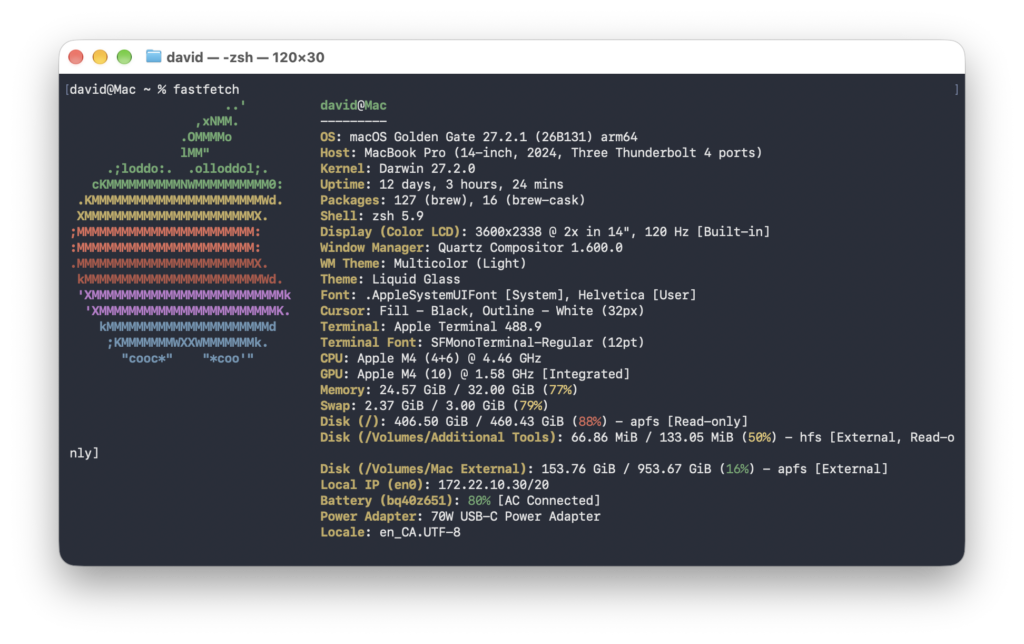
Homebrew also brings a familiar package management experience to macOS. For example, installing Node.js is as simple as running:
brew install nodeIt isn’t quite the same as using zypper on openSUSE, since Homebrew doesn’t manage the entire operating system. However, it’s a convenient way to install development tools and utilities, and I also use it to keep my macOS apps up to date, much like I would with a package manager on Linux.
On Windows, I’d typically want WSL to get a comparable Unix development environment. On macOS, much of that environment is already there. As a developer who also works on mobile apps, having access to Xcode and the iOS simulator is another advantage.
Why I Prefer macOS for Music Production Over Linux
As much as I love Linux, music production is one area where I’d rather use macOS.
I’ve previously written about how capable Linux is for music production. Its audio infrastructure is powerful, and there are some excellent native DAWs available, including Bitwig Studio, REAPER and Ardour.
However, my DAW of choice is Reason, which unfortunately doesn’t have a native Linux version. There’s also a much larger selection of commercial audio plugins available on macOS.
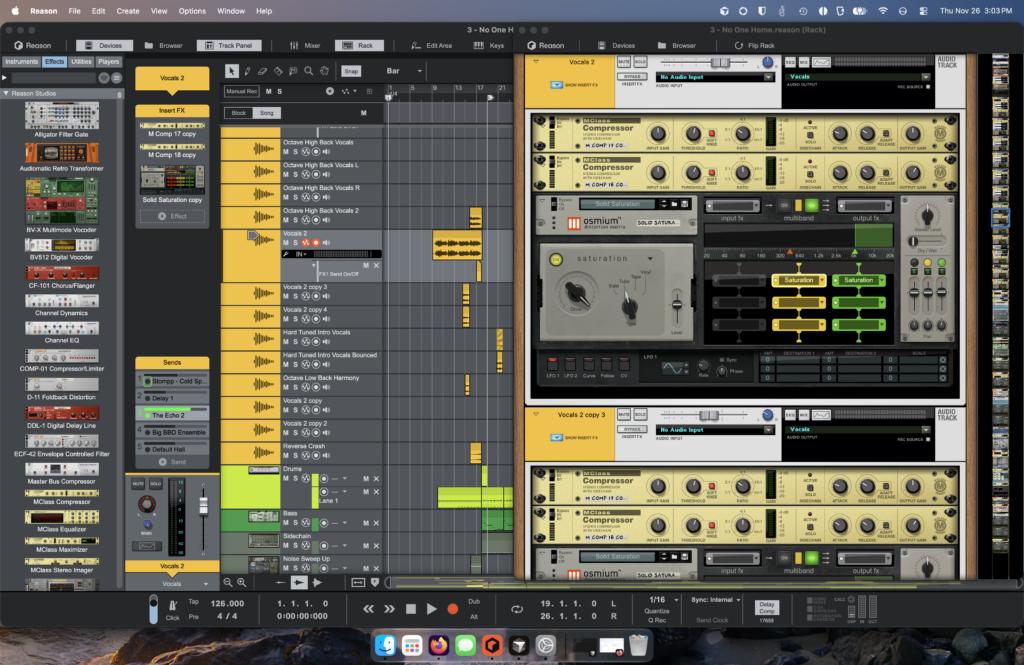
Software availability isn’t the only reason, though. I also appreciate how much simpler audio configuration tends to be on macOS.
Historically, getting a professional audio setup working on Linux could mean figuring out how ALSA, PulseAudio and JACK interacted, configuring audio routing and adjusting buffer settings. JACK offered incredible flexibility, but getting everything working together could take some effort.
Thankfully, PipeWire has made this considerably better by providing a common multimedia infrastructure with compatibility for PulseAudio and JACK applications, while also working with ALSA devices.
On macOS, Core Audio and Core MIDI provide a consistent infrastructure that applications and compatible hardware can use. The built-in Audio MIDI Setup utility also makes configuring audio devices relatively straightforward.
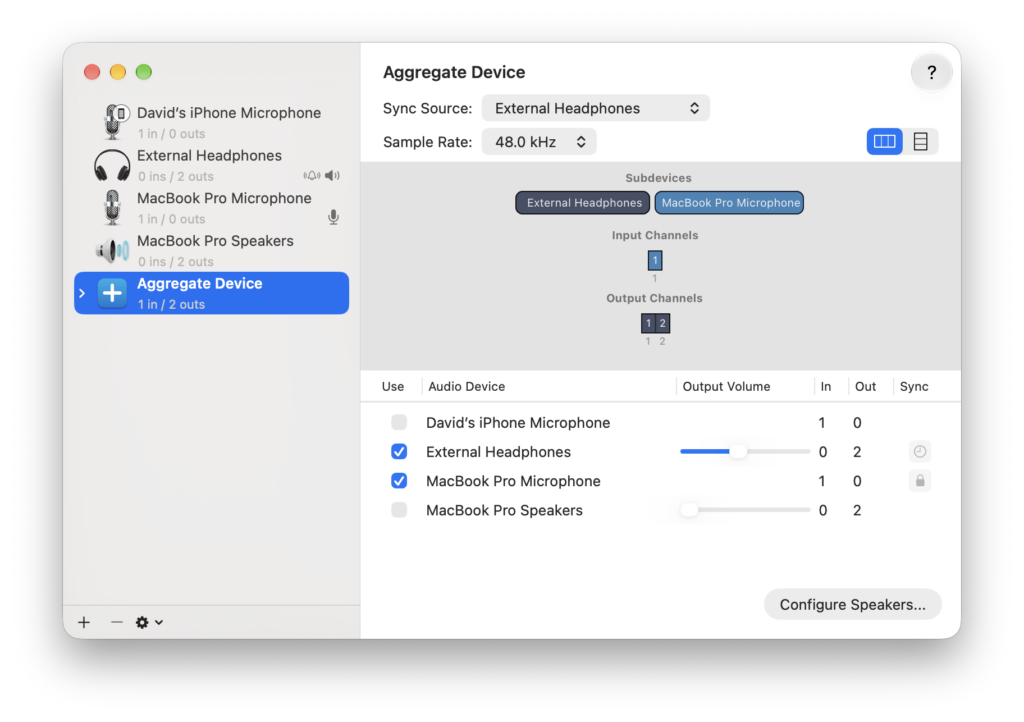
Linux has come a long way, and I don’t think its audio stack is inherently inferior. But when I sit down to produce music, I’d rather spend my time making music than configuring my operating system.
I Actually Like the Apple Ecosystem
Despite being a Linux enthusiast, I’m also an iPhone user, and I genuinely appreciate how well macOS integrates with it.
Apple’s Continuity features include:
- AirDrop: Quickly transfer files between devices.
- Universal Clipboard: Copy something on your iPhone and paste it on your Mac, or vice versa.
- Handoff: Continue tasks across devices.
- Calls and messages: Receive phone calls and messages directly on your Mac.
- Continuity Camera: Use your iPhone as a webcam.
- Instant Hotspot: Easily connect to your iPhone’s personal hotspot.
These are small conveniences individually, but together they make macOS a particularly appealing desktop operating system for someone who already owns an iPhone.
I don’t need every device I own to be made by Apple to appreciate that integration.
Apple Makes Excellent Laptops
While I prefer building my own desktop PCs, I’m a big fan of Apple’s laptop hardware.
MacBooks have excellent trackpads, displays and build quality. Apple Silicon has also made them particularly appealing in terms of performance, power efficiency and battery life.
I value the ability to choose and upgrade individual components on my Linux desktop. With a laptop, however, things like portability, battery life, noise and the overall quality of the hardware matter more to me.
MacBooks do a particularly good job of combining those things, even if their limited upgradeability is unfortunate. The hardware itself is another reason I’d recommend considering macOS for Linux users looking for a laptop.
Where macOS Can Frustrate Linux Users
One of my biggest frustrations with macOS is how much the operating system sometimes gets in the way of doing things.
Between Gatekeeper and the various privacy permission prompts, there are times when installing or running software means making yet another trip to System Settings to approve something.
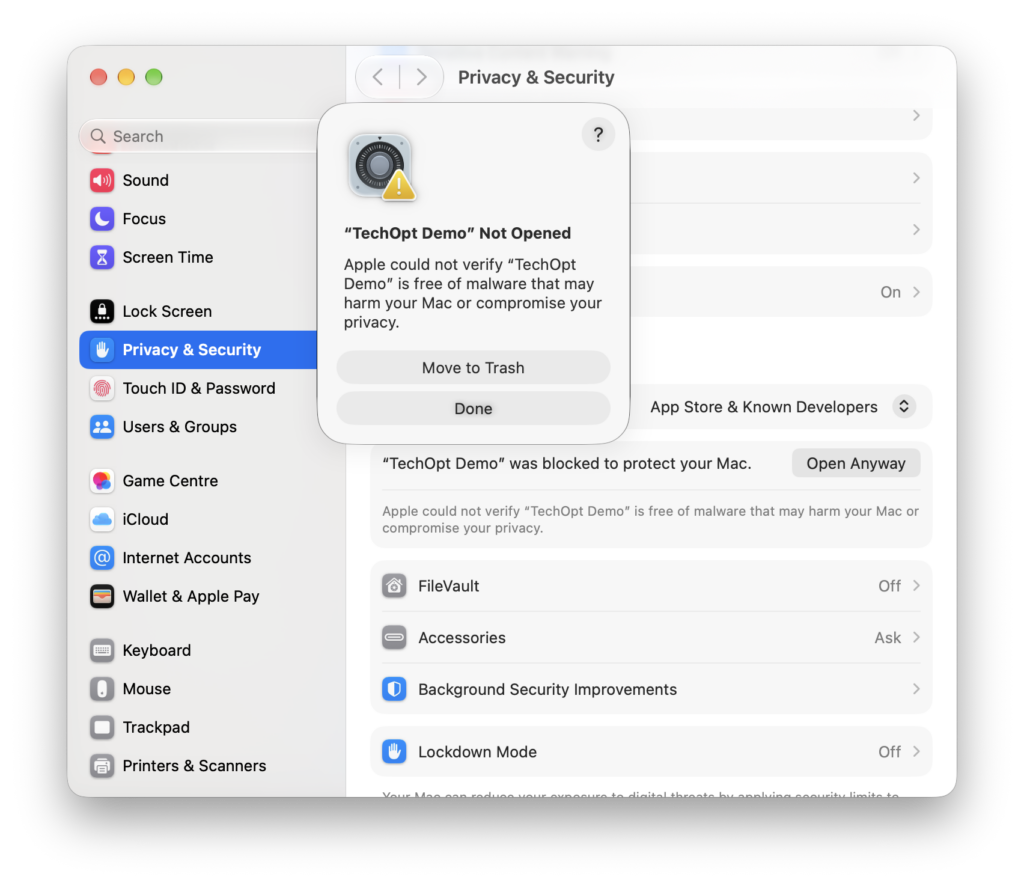
System Integrity Protection (SIP) is another restriction that protects critical parts of macOS from modification, even by the root user.
I understand why Apple has implemented these security measures, but as someone accustomed to having extensive control over my Linux systems, they can get annoying.
I also miss the level of desktop customization I have with KDE Plasma. macOS is polished, but Apple has a fairly specific idea of how you should use your computer.
Why Linux Is Still My Favourite OS
For me, the appeal of macOS for Linux users comes from combining a familiar Unix environment with a polished desktop, excellent laptop hardware, convenient iPhone integration and a straightforward music production experience.
That doesn’t change why I prefer Linux. I love its open-source nature, native package management, customizability and the freedom to run it on hardware of my choice. I also like being able to decide how my operating system works rather than having those decisions made for me.
But I don’t think being a Linux enthusiast means you have to dislike macOS. I can appreciate both operating systems for what they do well, and that’s precisely why macOS is my second favourite OS!

Leave a Reply